Add Tiệm Trà Nhỏ to your iPhone or iPad
Keep a game icon on your Home Screen and open the web game without an IPA download.
Updated: 27/09/2026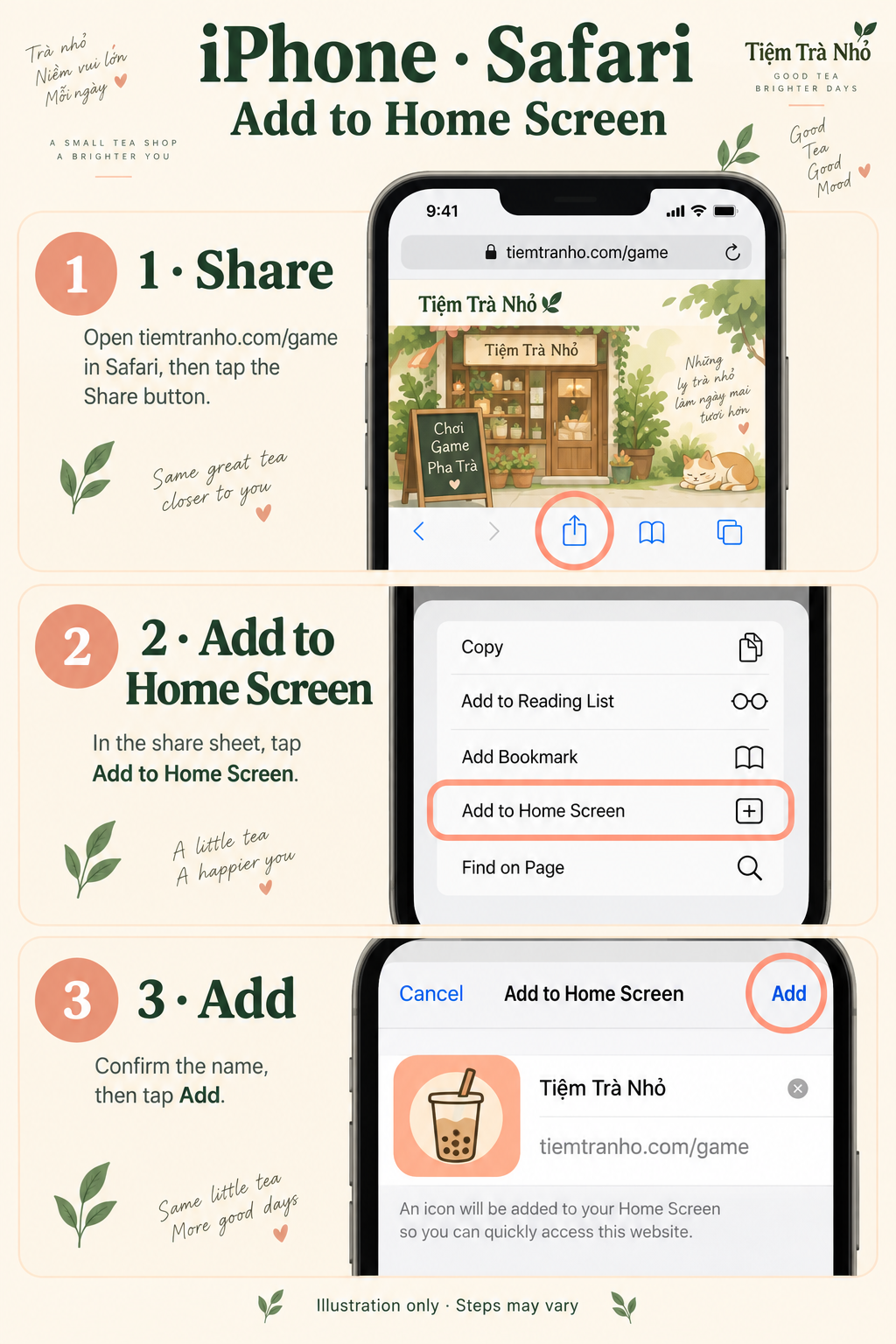
1. Back up your shop first
Before changing how you open the game, export a backup file or copy your backup code somewhere outside the browser. For Smooth Play, sign in and wait for Backed up. A Home Screen icon is an entry point, not a backup. Read the backup guide.
2. Open the game in Safari
Open Tiệm Trà Nhỏ in English in Safari. If you arrived through Discord or another in-app browser, copy the address and open it in Safari first. Use the game page rather than the download page. Tap its Add to Home Screen button for device-specific steps; iOS still requires the Safari Share menu.
3. Add to Home Screen
Tap Safari’s Share button, then Add to Home Screen. If it is missing, scroll through the actions or use Edit Actions to add it. Check the name Little Tea Shop and the tea-cup icon, then tap Add. Menu names and locations vary by iOS version. On versions offering Open as Web App, leave it off for a browser shortcut.
4. Open and check your progress
Tap the new icon to open the game. Check your shop and progress before playing. Depending on the browser and how the icon opens, sign-in or local storage may differ. If your shop is missing, return to the original browser and your backup; do not clear its data. Smooth Play users should sign in to the same account and carefully select the existing backup.
What this shortcut includes
This is access to the web game, not an App Store app or IPA installation. Adding an icon does not enable offline play. Use an internet connection; cloud backups and friend features require it. You may rename or move the icon on your Home Screen.
Need help?
Back to download options · Android instructions · Apple’s Home Screen instructions. If you need help, email [email protected] with your device and browser.